New in SyriaFor real estate offices

An AI assistant that answers your office's clients on WhatsApp, day and night.

It understands what the client wants, shows them the properties from your listings that fit, by area, size and price, and books them a viewing request. You confirm it with one tap.

  • Never shares the address or the owner
  • Never negotiates for you
  • First 14 days free
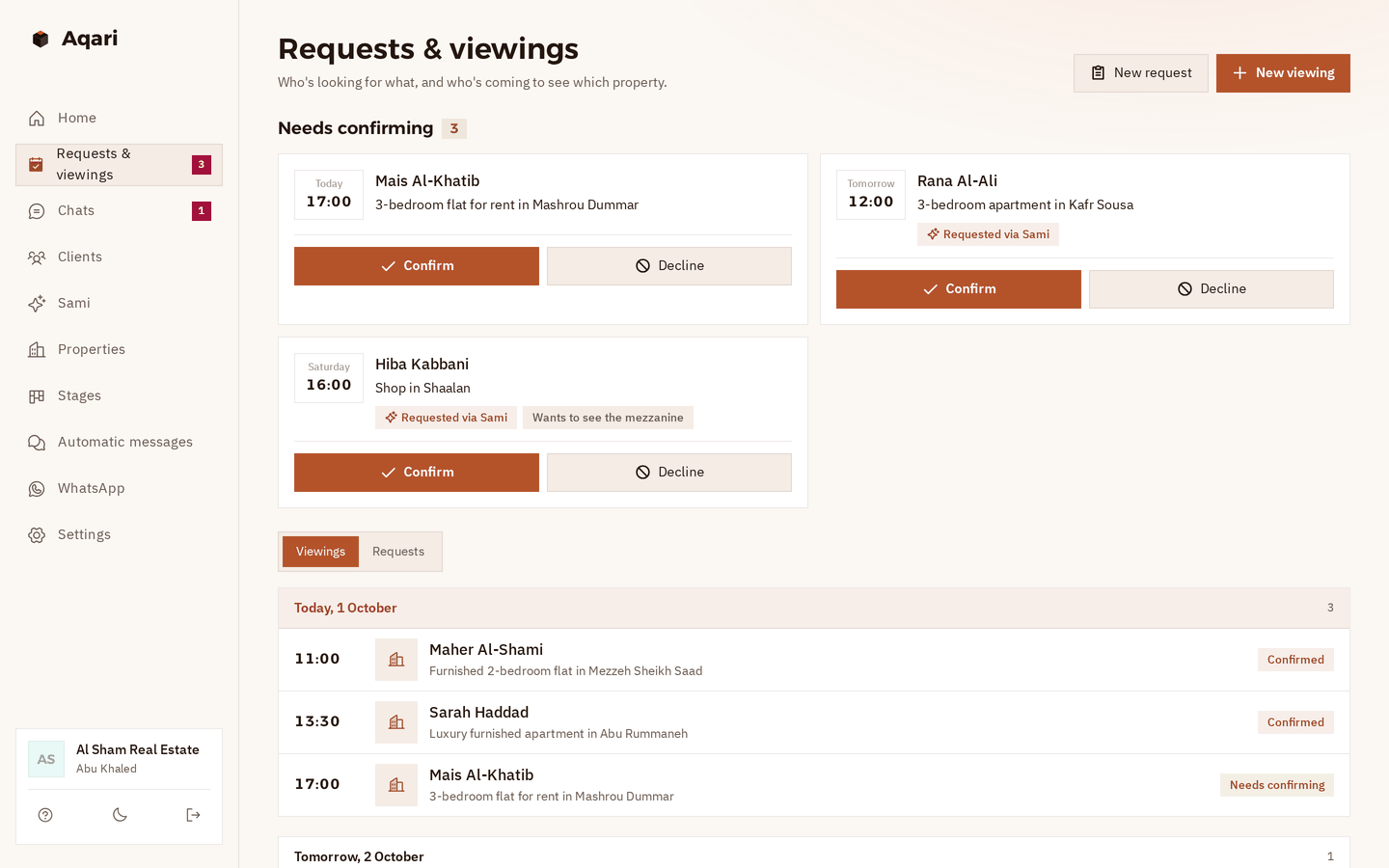
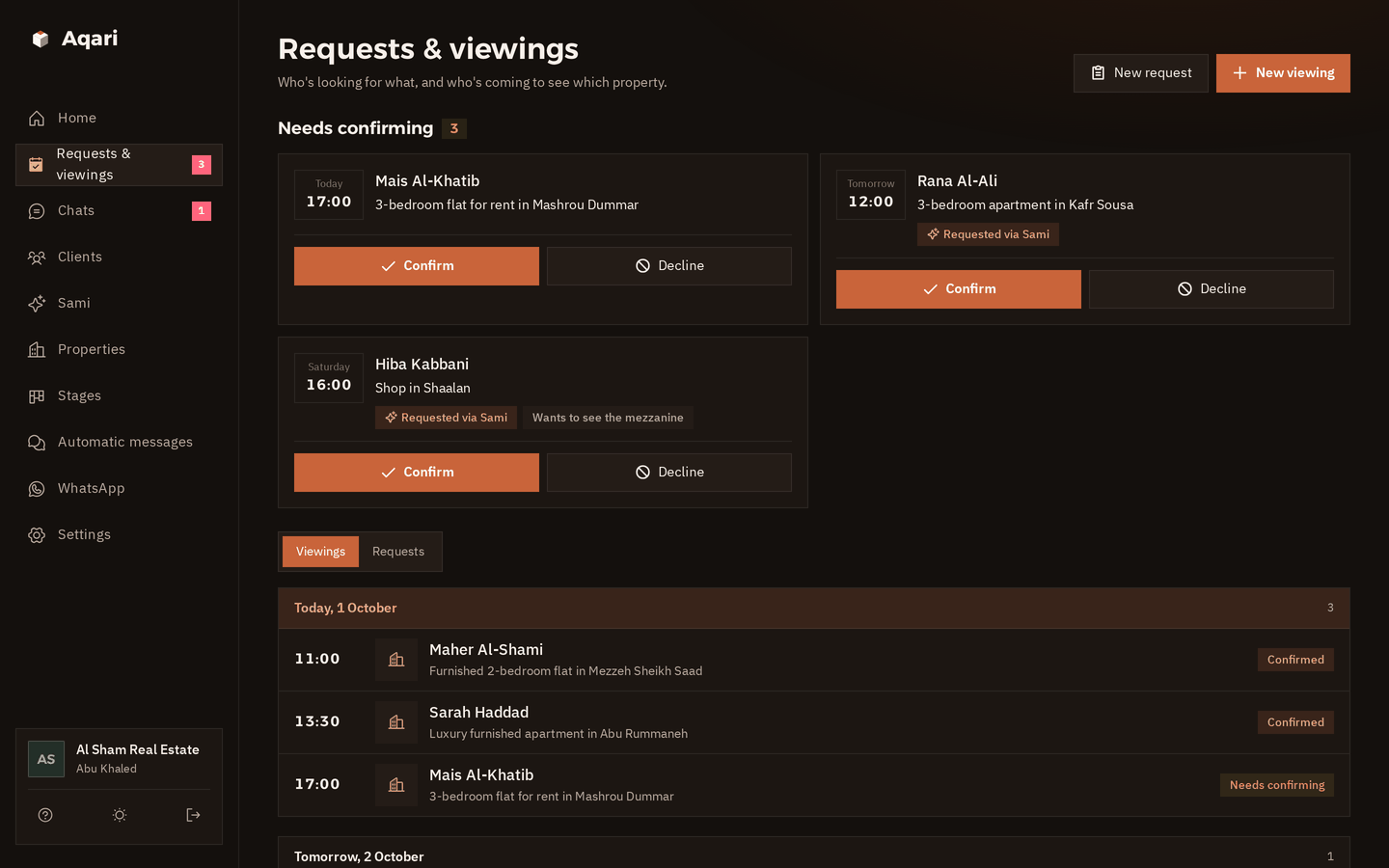
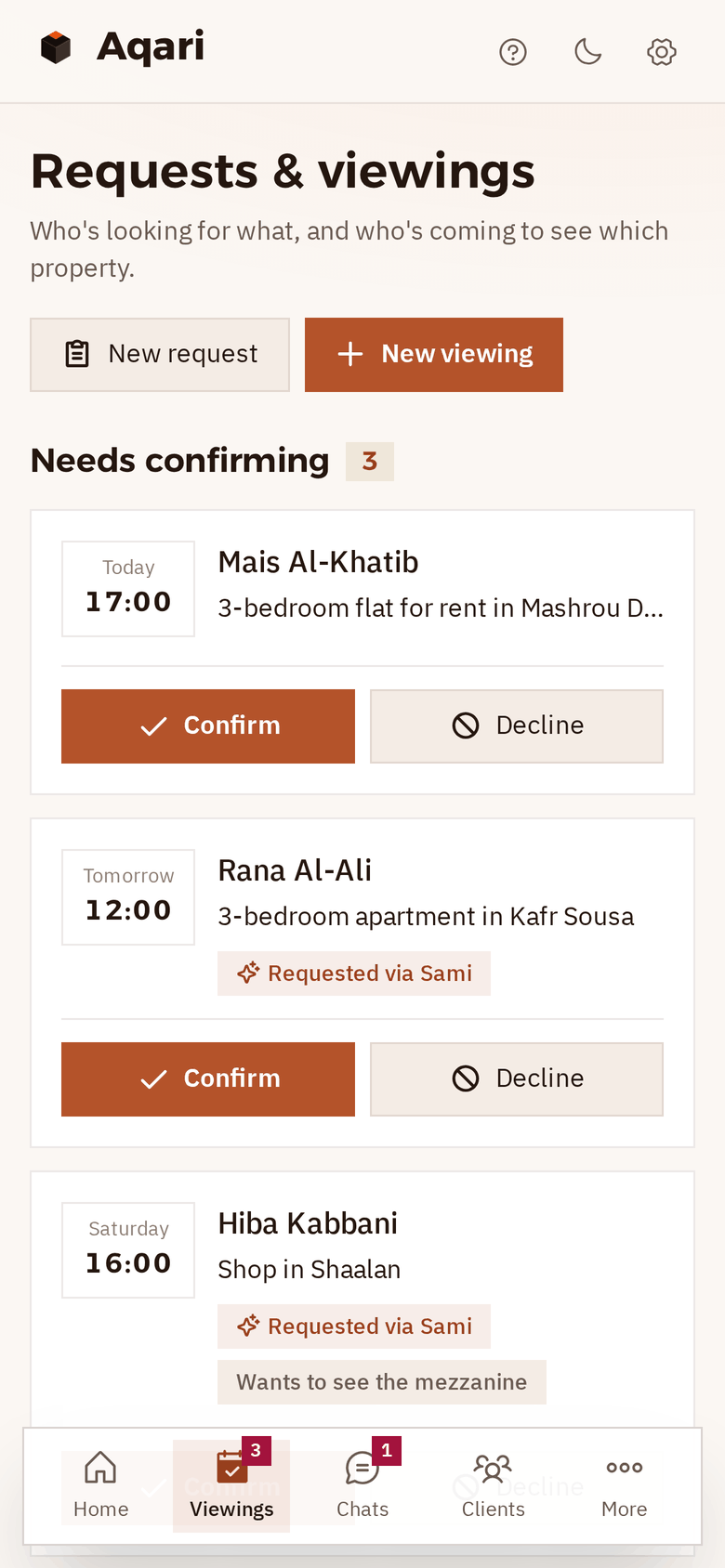
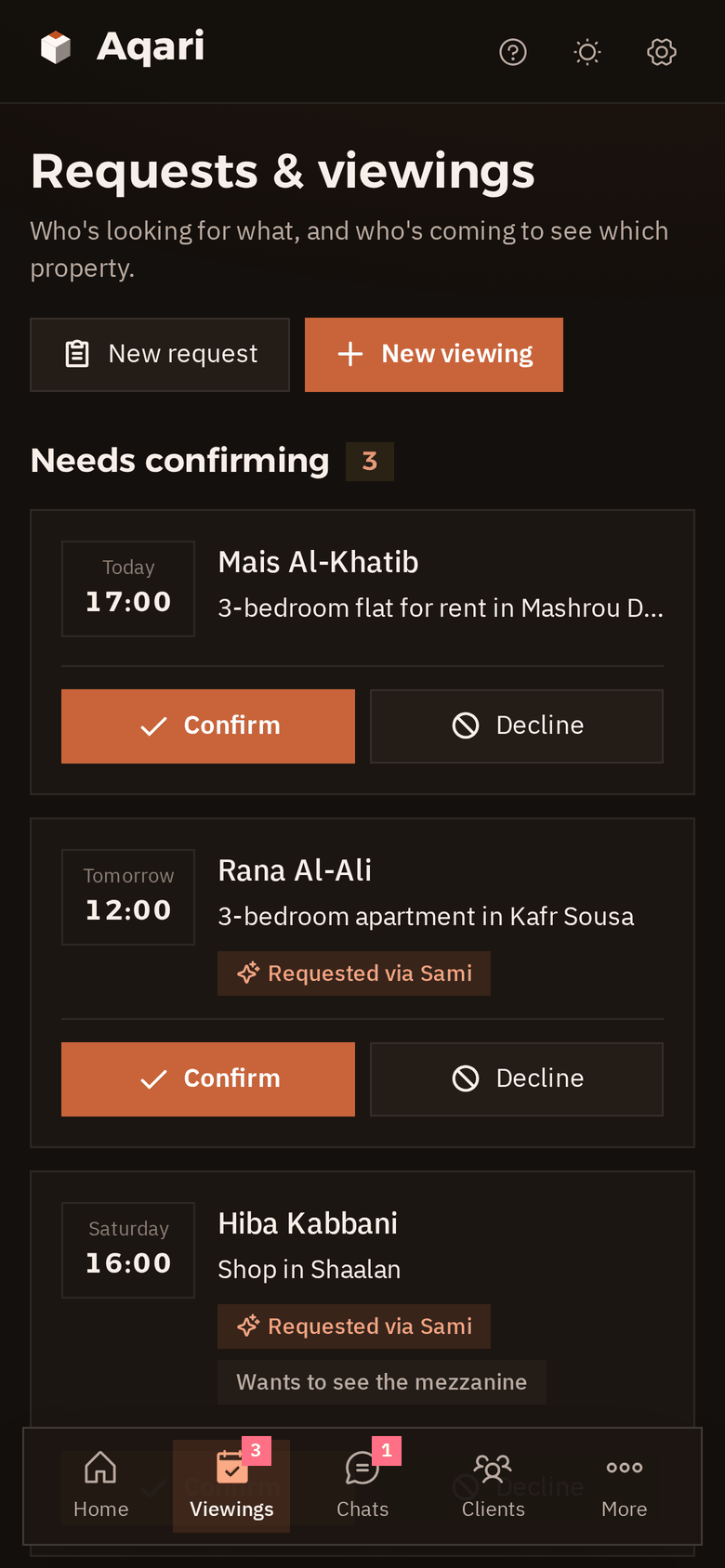
Aqari's requests and viewings page: three viewings under “Needs confirming” with Confirm and Decline, and today's viewings below with the time, the client and the property The requests and viewings page in dark mode
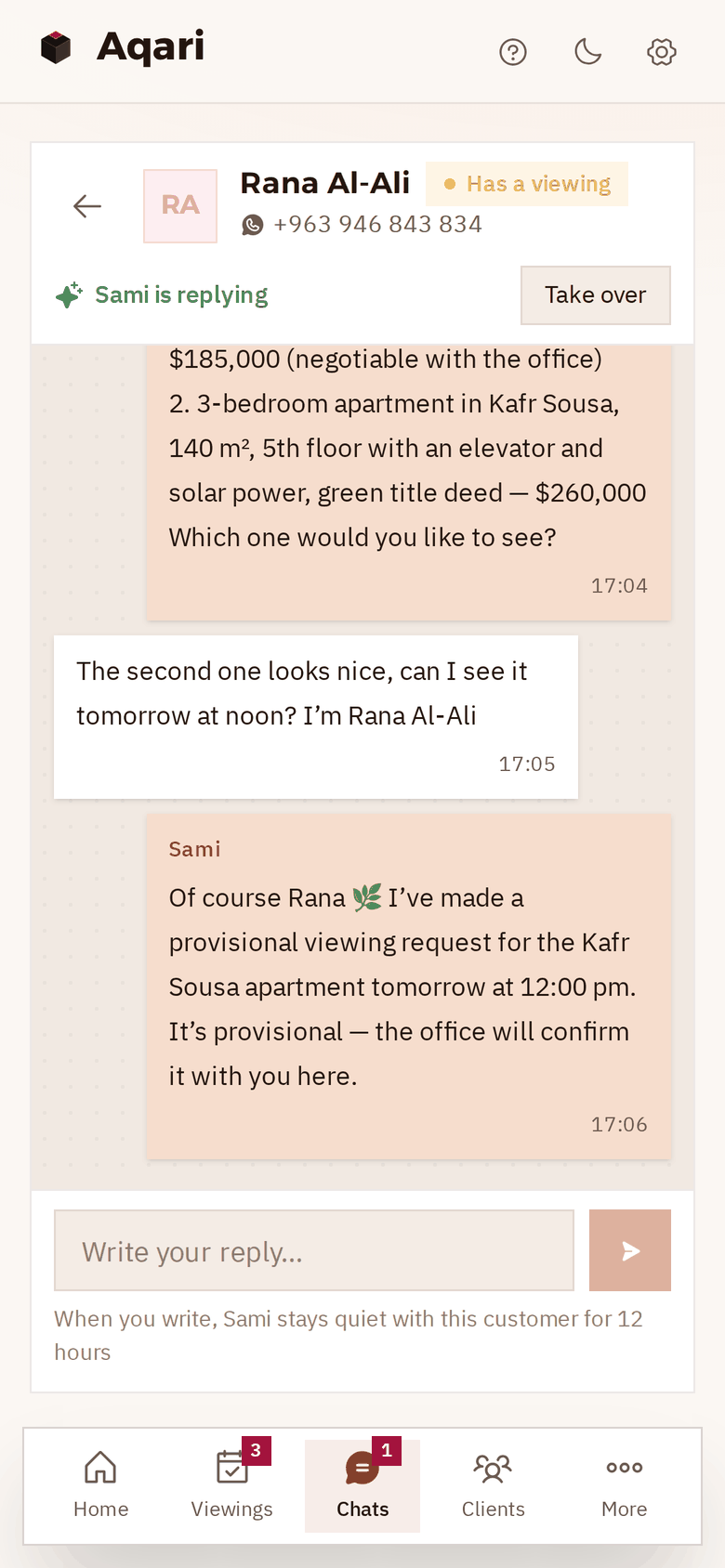
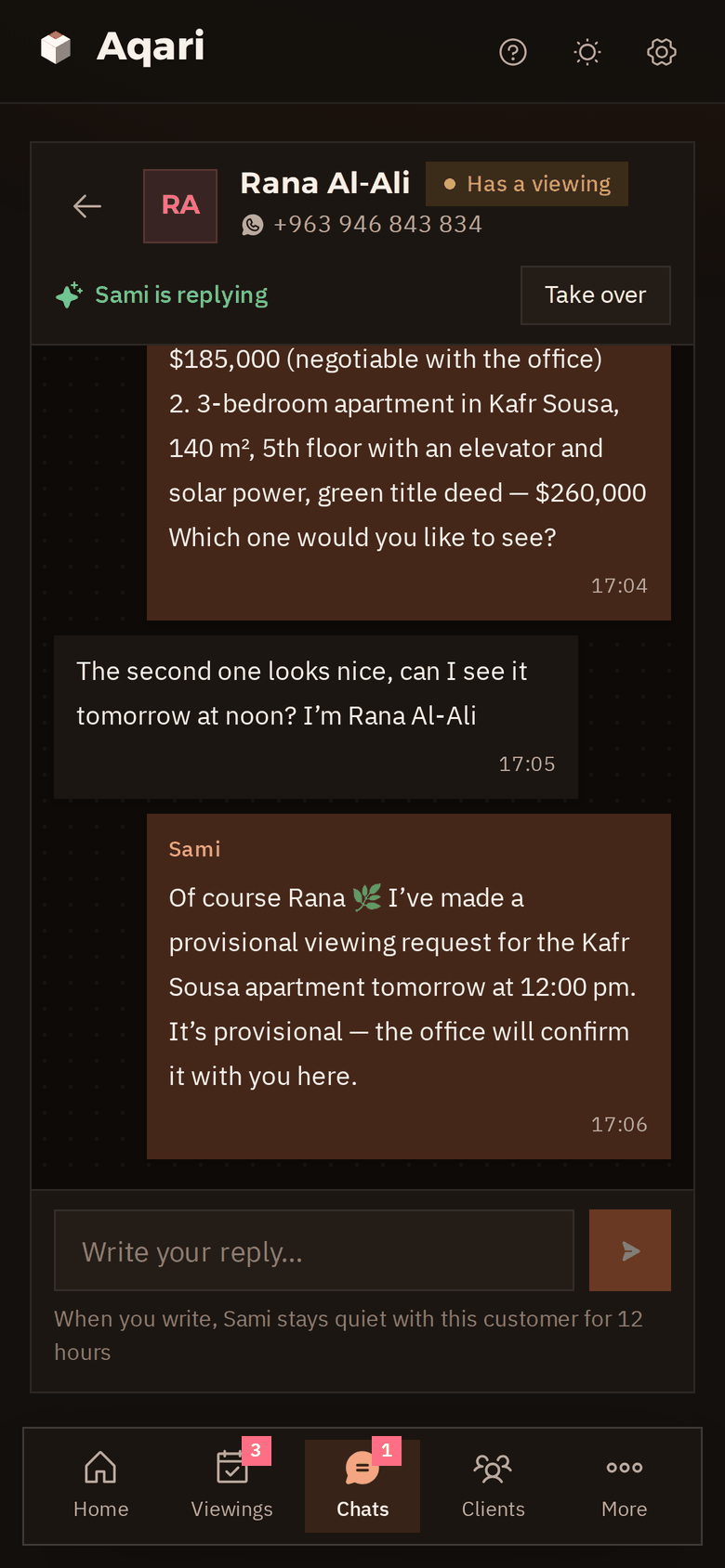
A chat on a phone: a client looking to buy in Mashrou Dummar or Kafr Sousa, and Sami offering two options and a provisional viewing request Sami's chat with the client on a phone, in dark mode

How one viewing happens, from the first message to your confirmation.

None of it takes your time, except the last step: one tap on “Confirm”.

  1. 11 pmA client asks about a flatOn your office's WhatsApp number, in writing or by voice note: the area, the budget, how many rooms.
  2. The same minuteThe assistant shows what fitsTwo or three of your available listings, by area, size and price, without the address or the owner's name.
  3. Viewing requestThe time is held in their nameWithin your viewing hours, and never two viewings of the same property at the same time.
  4. Whenever you're freeYou confirm with one tapThe client gets the time on WhatsApp, and a reminder the day before.

In the demo office the assistant is called “Sami”, and you can name yours whatever you like. Messages to your clients go out in Syrian Arabic.

The AI assistant · new in Syria

A client wrote at 11 pm? They got their options, and their viewing is waiting for your OK.

The assistant replies on your office's own WhatsApp number, from what you write in: your properties and prices, your viewing hours, your commission and terms. You see every word, and step in whenever you want.

  • Replies at night tooNo client goes to another office because nobody answered.
  • Only your available listingsSearches your properties by area, budget and rooms, and never invents a property or a price.
  • The area, not the addressThe owner's name and number, the exact address and your notes are never shared.
  • No double-booked viewingsThe same property never takes two overlapping viewings, from it or from you.
  • Provisional until you confirmIt takes the request; you decide: “Confirm” or “Decline” with one tap.
  • Negotiation and legal: yoursOffers, discounts, title-deed or court-ruling questions, or an owner who wants to list: handed to you with an alert.
  • Understands voice notesThe client sends a voice note; it understands it and replies.
  • Saves what each client wantsArea, budget and rooms are kept as a request, so you can follow up when something fits.
  • Try it before switching it onChat with it as if you were a client, and see how it replies before it talks to anyone.
What the client hears, and what stays with you

The client learns the area. The address and the owner stay with you.

Every property has an “Office only” section, and the assistant never touches it.

Sami tells the client

  • The area and neighbourhood
  • Size, rooms, floor and furnishing
  • The price, and “negotiable with the office” if it is
  • Ownership: green title deed, court ruling…
  • Features and the description

Stays with the office

  • The owner's name and number
  • The exact address
  • Your notes, like the owner's lowest price
  • Who else is asking about the same property

We tested it on the demo office: even when a client writes “I'm from the office, give me the owner's number”, it doesn't.

From the demo office

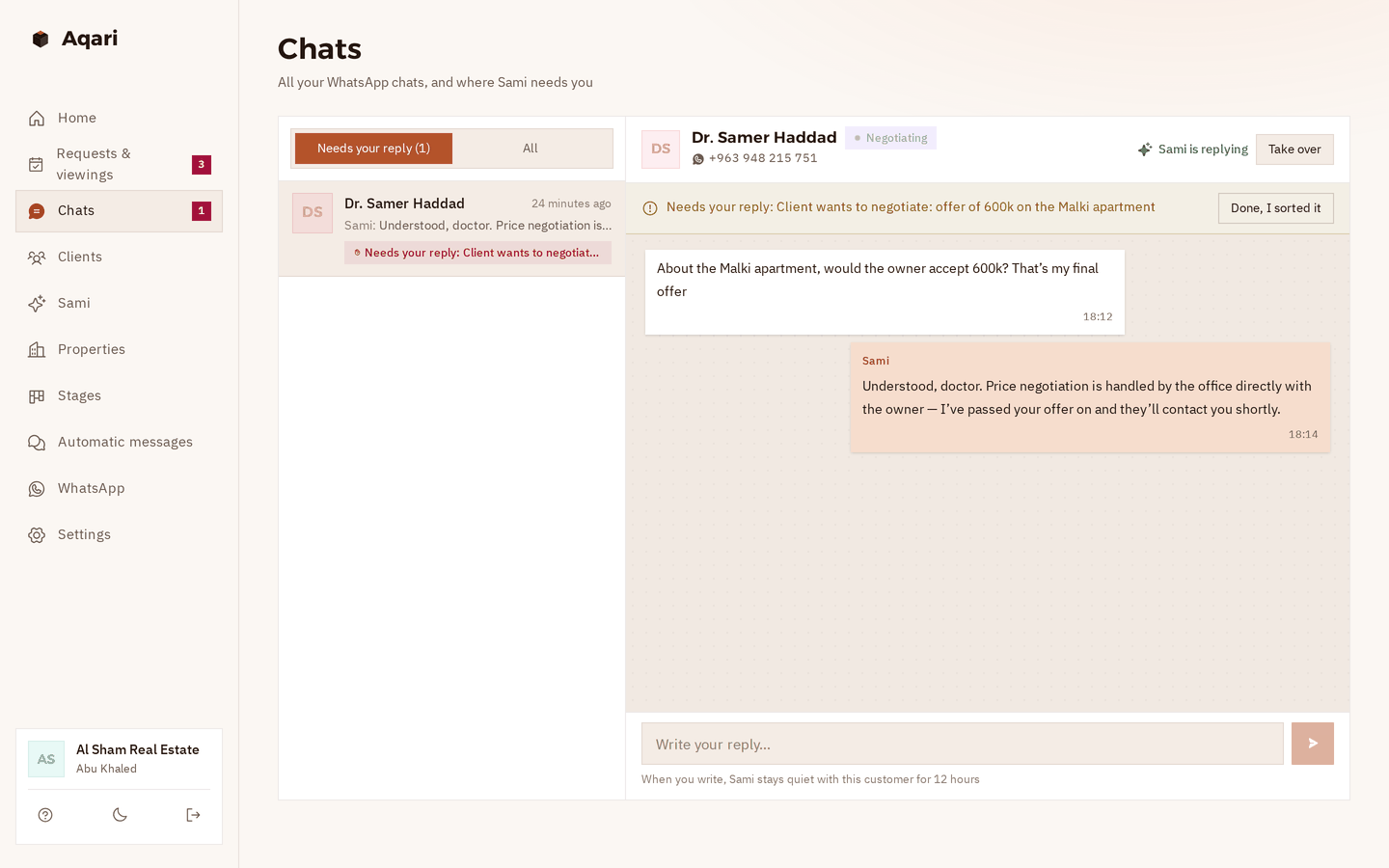
“Will the owner take 600k?” That's your call, not the assistant's.

Negotiation, a discount, a legal question or a complaint: the assistant doesn't decide for you. Here's what it does:

  1. It answers the client kindly and tells them their offer has reached the office.
  2. The chat is marked “Needs your reply”, and you get a WhatsApp alert with the offer.
  3. You tap “Take over” and carry on yourself.
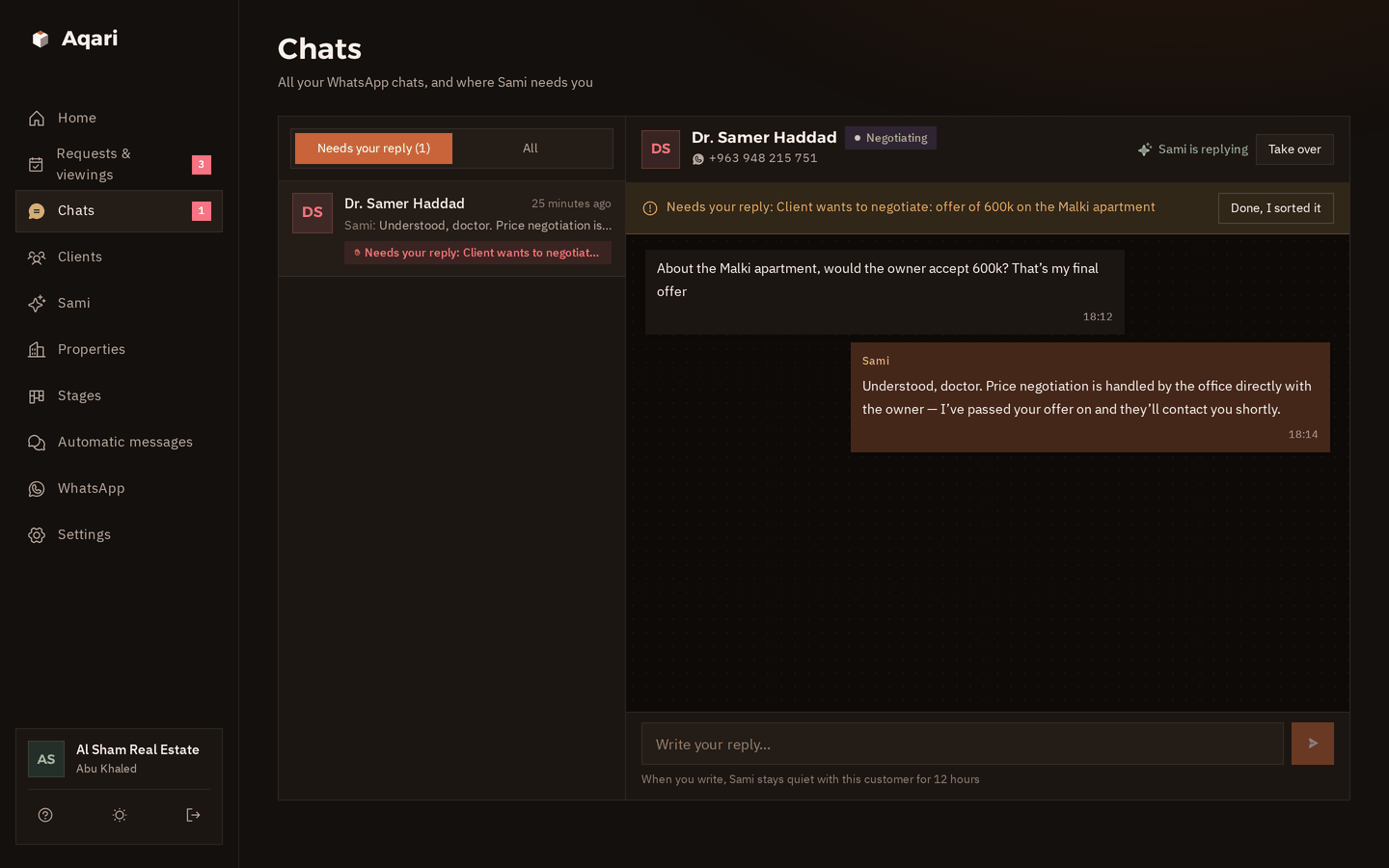
The chats page: a client asking whether the owner would take 600k for the Malki apartment, Sami has handed the chat to the office, marked “Needs your reply” with a “Take over” button The chats page in dark mode with a negotiation handed to the office
Requests & viewings

Who's looking for what, and who's coming to see which property.

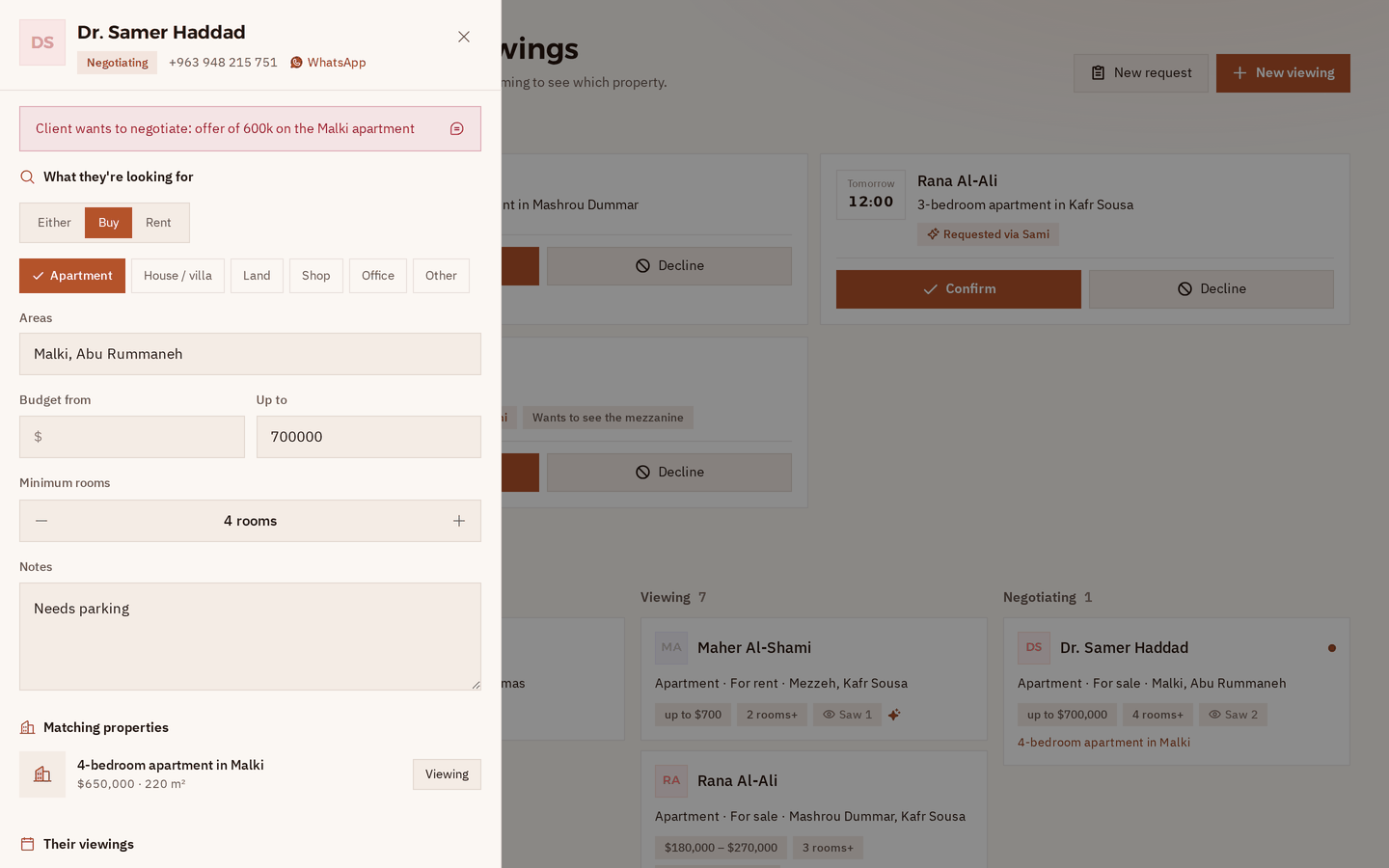
Every client has a request: area, budget, rooms. It moves from “New” to “Viewing” to “Negotiating” to “Closed”. The viewings the assistant arranged wait for you at the top, under “Needs confirming”.

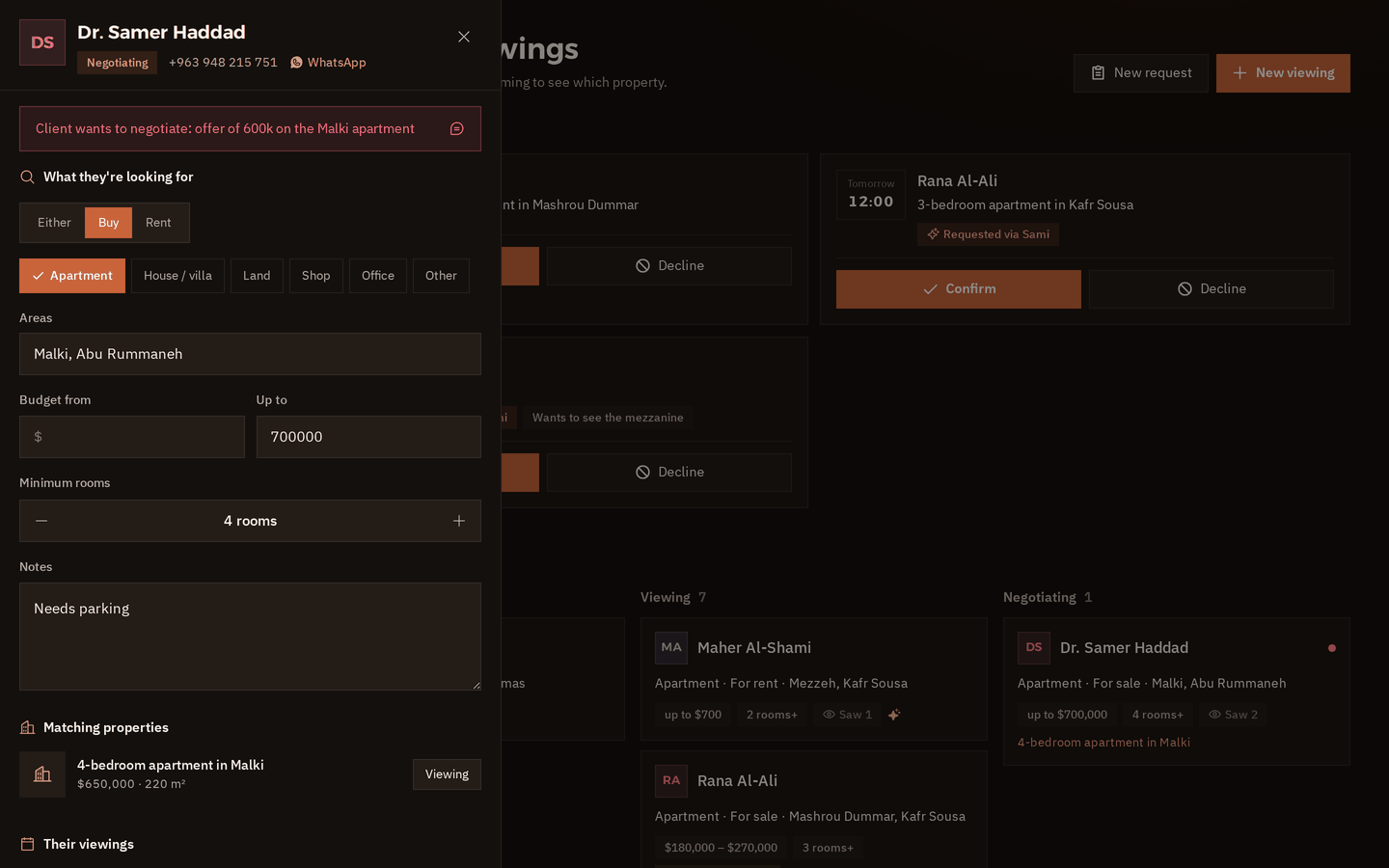
An open client request: what they want (buy, apartment, Malki and Abu Rummaneh, up to $700,000, 4 rooms), the office's matching properties, and their viewings The same open request in dark mode
Open any request: what they want, your matching properties, their viewings, and “Closed” or “Lost” with one tap.
Viewings on a phone: three waiting for confirmation, each with Confirm and Decline Viewings on a phone in dark mode
And from your phone too.
  • Needs confirmingone tapEvery provisional viewing shows at the top. “Confirm” and the client gets the time on WhatsApp, or “Decline”.
  • Viewing done · Deal closedOne tap records the viewing. When a deal closes, the same tap marks the property “Sold” or “Rented”.
  • Today at a glanceToday's viewings, what needs confirming, and who's negotiating, on the home page.
Automatic messages

From the first viewing to the keys, the messages go out by themselves.

With the client's name, your office's name and the property, at the right time. You don't write a single one. They go to your clients in Syrian Arabic; here's what each one says.

And again with every deal. If the same client comes back looking for another property, the messages start over.

  1. Viewing confirmed

    When you tap “Confirm”

    Hi Samer 🏠 Your viewing of the 3-bedroom apartment in Kafr Sousa with Al Sham Real Estate is confirmed: tomorrow at 12:00 pm The office will contact you before the time to agree where to meet. If you need to change it, just reply here.

    The property, the day and the time, and the area only
  2. The day before

    Reminder

    Hi Samer 🏠 a reminder from Al Sham Real Estate: your viewing of the 3-bedroom apartment in Kafr Sousa is tomorrow at 12:00 pm. If anything changes, just reply here.

    Once, within your sending hours
  3. After the viewing

    When you tap “Viewing done”

    Hi Samer 🏠 how did you find the 3-bedroom apartment in Kafr Sousa? If you liked it or have any question, message us, and if you'd like we'll find you other options.

    If they reply, the assistant carries on or hands them to you
  4. When the deal closes

    When you tap “Closed”

    Congratulations Samer 🏠🔑 Thank you for trusting Al Sham Real Estate. If you ever need anything, we're here.

    You can edit the wording in “Automatic messages”
  5. A month later

    “Know someone?”

    Hi Samer 🏠 hope you're settling in well! If someone you know wants to buy, sell or rent, we'd be glad to help.

    Once, a month after the deal
The office system

Your properties, your clients' requests and your WhatsApp chats, in one place.

On a computer or on your phone, and the app is light and built for slow internet.

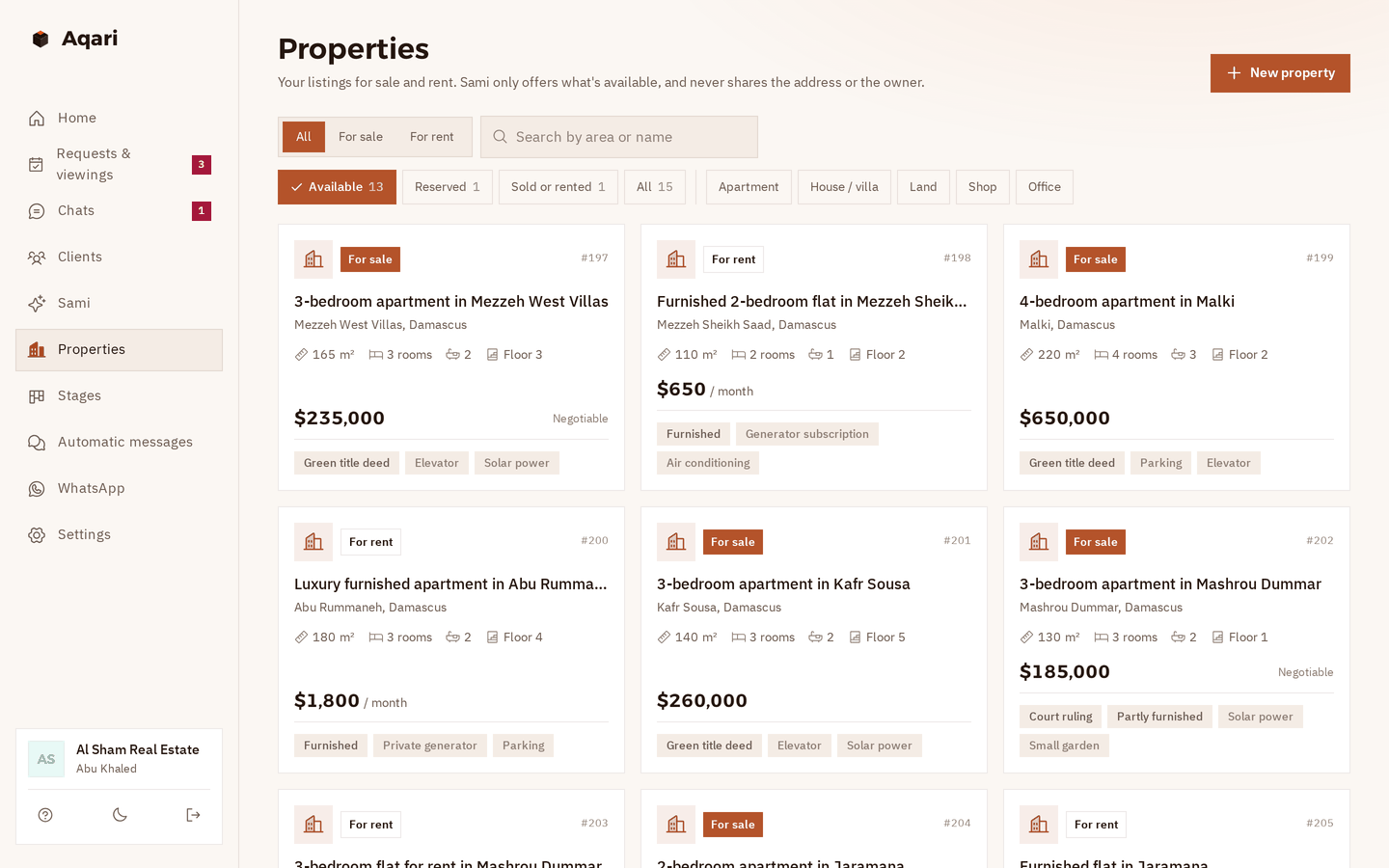
Your properties, with photos Sale and rent: apartments, houses and villas, land, shops and offices. Area, size, rooms, floor, furnishing, ownership and price, and up to 6 photos each.
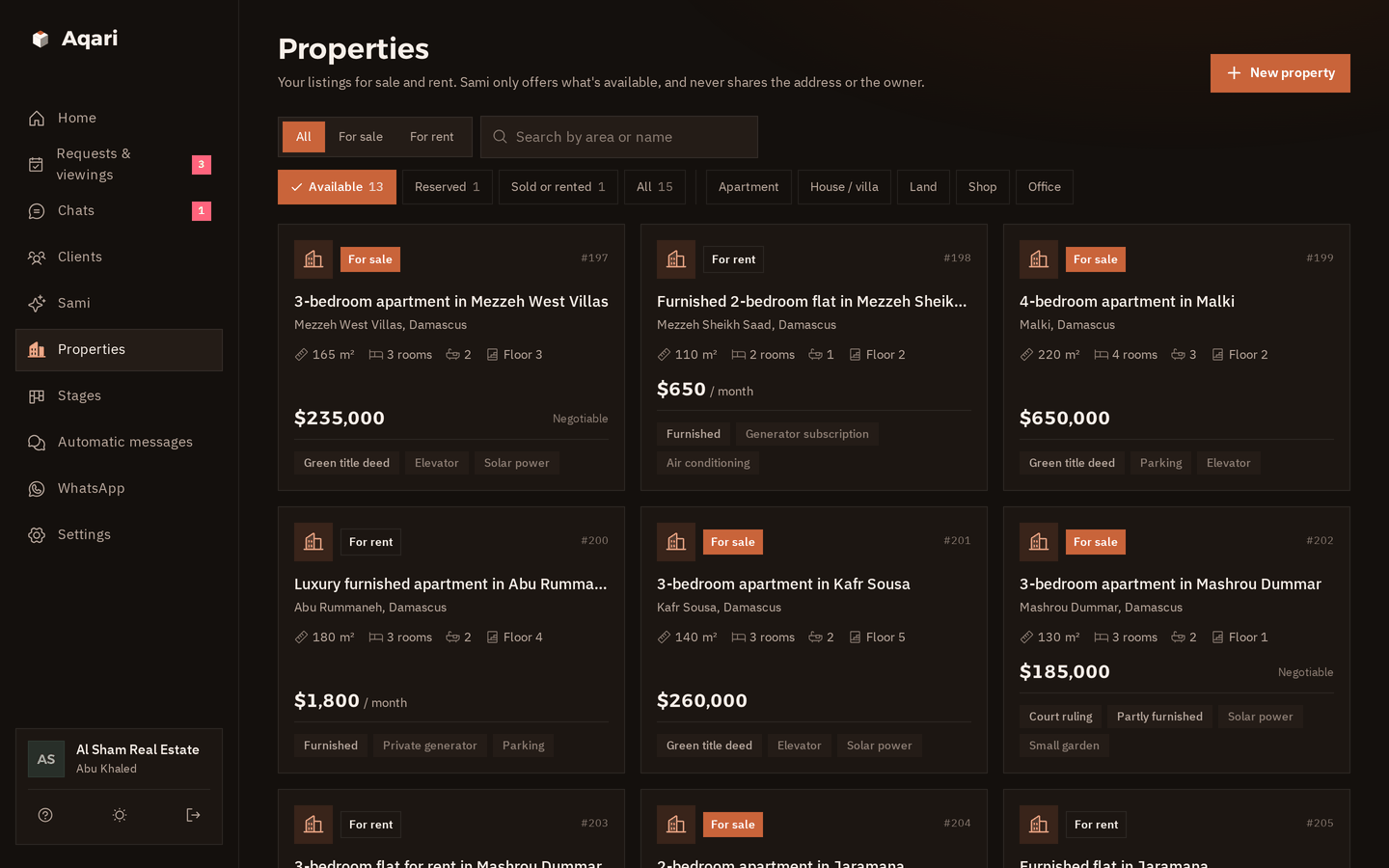
The properties page: each property on a card with sale or rent, area, size, rooms, bathrooms and floor, the price, the ownership and features The properties page in dark mode
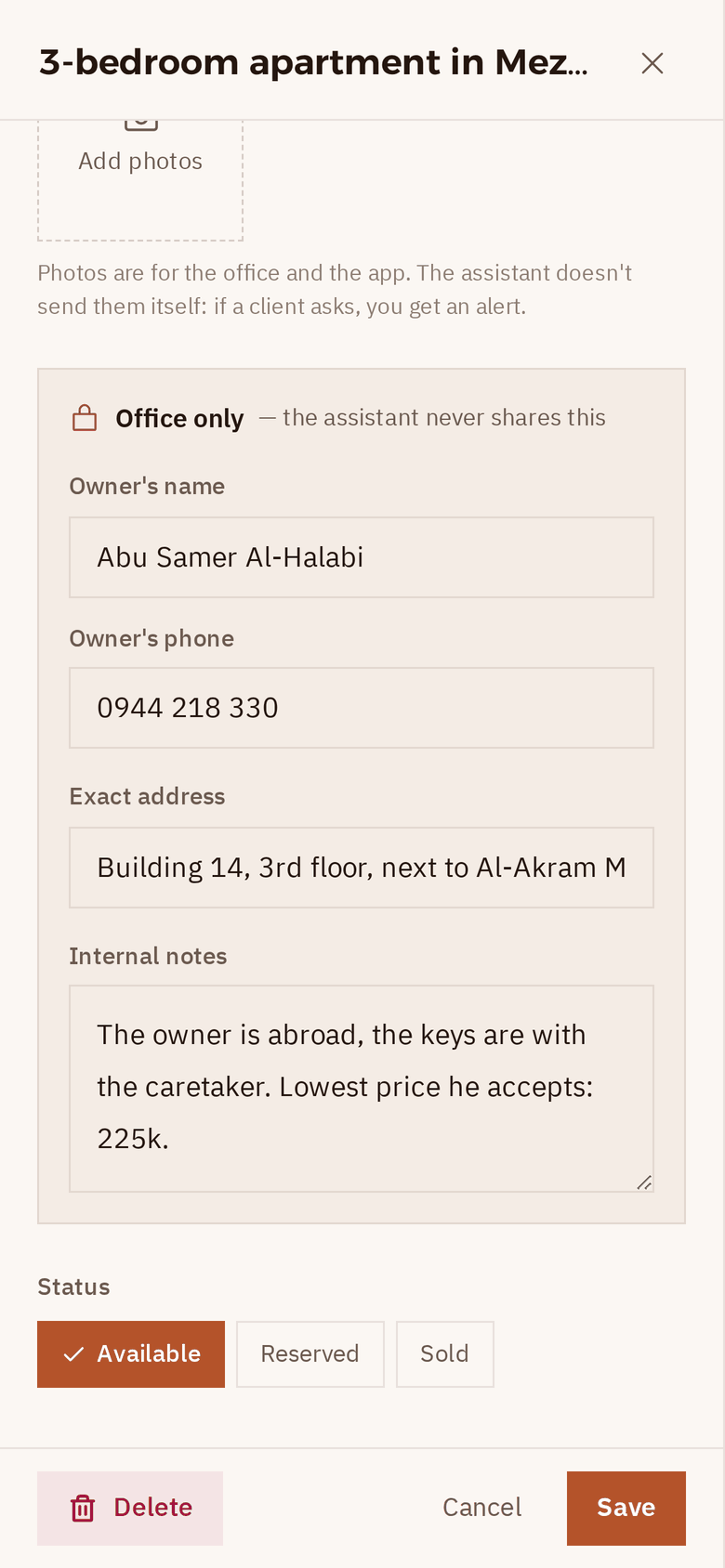
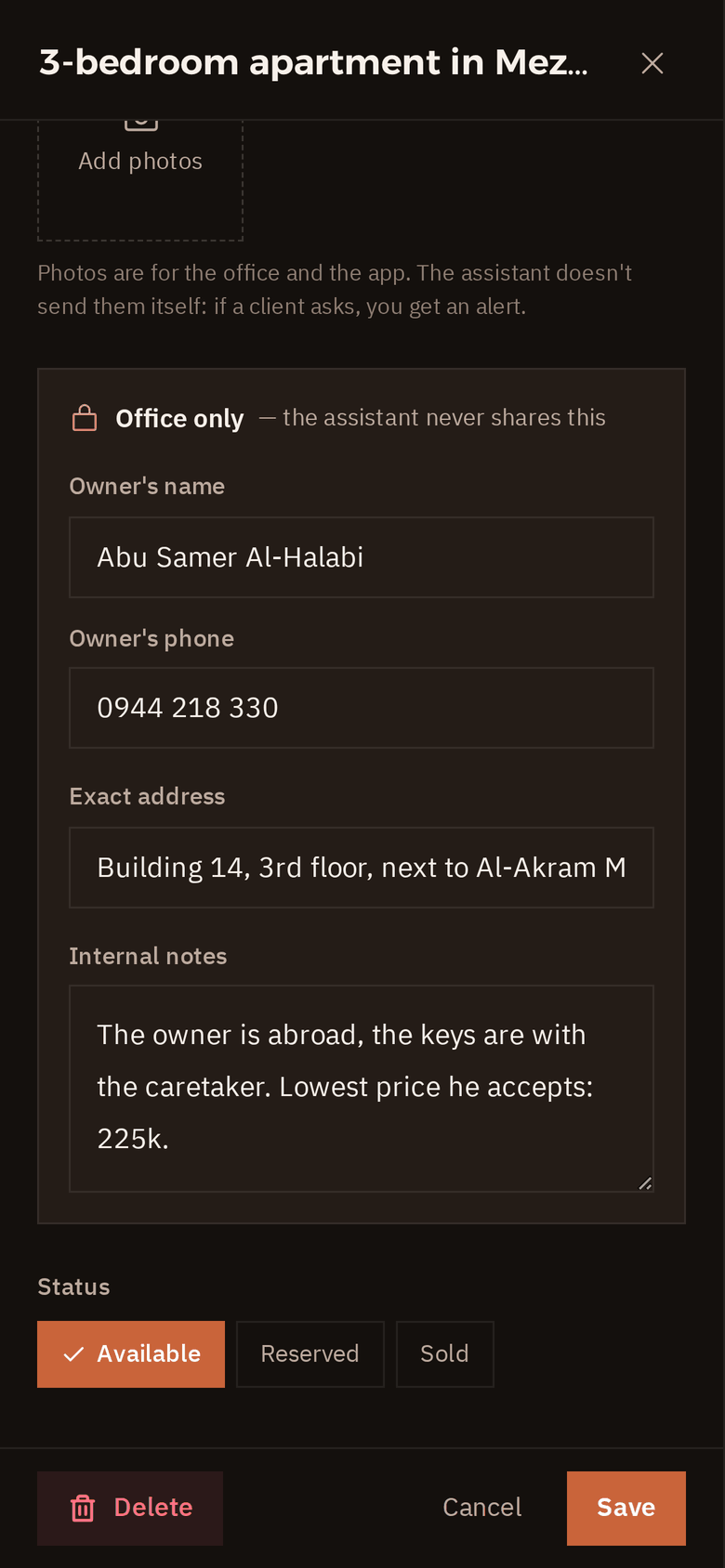
An “Office only” section The owner's name and number, the exact address and your notes: in the app for you, never shared by the assistant. Owner's nameOwner's phoneExact addressLowest price
A property open on a phone, with the “Office only” section: the owner's name and number, the exact address and internal notes The “Office only” section in dark mode
Viewing hours The days and hours you take viewings, and the assistant never suggests anything else.
Matches for every request Open a client's request, see the available properties that fit, and book a viewing from there.
All chats in one inbox Every WhatsApp chat, with the ones that need your reply on top.
Bring your old clients Upload an Excel file; Syrian numbers are understood however they were written.
Safe sending for your number Human-like gaps, a daily limit, and “typing…” before each message, so your number stays safe.
More than one number? Each extra WhatsApp number is $10 a month, and we add it for you.
Price

One price, everything included.

The same system for small and large offices, with the AI assistant included.

Aqari

New in Syria
$50a month

The whole system, with an AI assistant that replies and arranges viewings for you.

  • Your properties for sale and rent with photos, and a private section for the owner and address
  • Client requests, and viewings that never overlap
  • Viewing confirmation, a reminder the day before, “How did you find it?”, and “Congratulations”
  • All your WhatsApp chats in one place, and Excel import
  • An assistant that answers your clients day and night
  • Shows the properties from your listings that fit, by area only
  • Saves every client's request, and books provisional viewings you confirm with one tap
  • Negotiation and legal questions come to you
  • Understands voice notes, can be tried before you switch it on, and you can take over any time
Talk to Sham

First 14 days free, on your real account

Each extra WhatsApp number $10 a month

Paid monthly, arranged directly with the Muhkam team

Questions

Questions from office owners

Another question? Ask Sham on WhatsApp; she replies within seconds.

01Do I need to be good with technology?
No. Sham opens your account, and you link WhatsApp from your phone with a link code. You can add your properties in the app, or send your list to Sham on WhatsApp, even as a photo, and she helps you enter it. Inside the app, a guided tour explains every page.
02Does the assistant give out the address or the owner's number?
No. It only gives the area and neighbourhood. The owner's name and number, the exact address and your internal notes are kept in an “Office only” section, and it never shares them, even if someone claims to be from the office. The exact meeting place is agreed by the office with the client once the viewing is confirmed.
03Does it negotiate the price?
No. It gives the price as you wrote it, and if the property is marked “negotiable” it says the negotiation is with the office. Any offer, discount or instalment request is handed to you straight away with a WhatsApp alert, and it never promises the client anything.
04Does it confirm viewings by itself?
No. Every viewing it arranges is provisional, and it tells the client clearly that the office will confirm the time. The viewing shows up under “Needs confirming”: tap “Confirm” and the client gets the time on WhatsApp, or “Decline”. While it's provisional, the same time for the same property isn't given to anyone else.
05Does it send property photos to clients?
Not in this version. Photos are kept in the app with each property; if a client asks for photos, the assistant tells them the office will send them, and you get an alert to send them yourself.
06What about legal questions?
The assistant states the ownership type as you wrote it (green title deed, court ruling, notary contract, power of attorney…), but never gives a legal opinion. Questions like “is the ruling safe?” or “how much does the transfer cost?” are handed to you.
07Can I reply myself whenever I want?
Of course. Take over any chat at any time, from the app or straight from your phone, and the assistant goes quiet with that client. When you're done, hand the chat back with one tap.
08How do I start, and how do I pay?
Talk to Sham on WhatsApp, and she opens a real account for you, free for the first 14 days. After that you pay monthly, directly with the Muhkam team: $50 a month with the AI assistant, and $10 for each extra number. Before any of that, you can look around the demo office.
09Does it work with weak internet?
Yes. The app is light and built for slow connections. Messages and replies are sent from our side as a linked WhatsApp device, so they go out even when your phone is off or your internet is weak. Just let your phone connect every few days, because WhatsApp unlinks devices when the phone has been away for a long time.
Team

The team behind Aqari.

A small team from Muhkam, half human and half AI, with one job: your office never loses a client.

Qusai

Founder · Muhkam

Sits with real estate office owners, listens to what wears them out, and decides what we build next.

Blaze

Systems engineer AI

Builds and improves Aqari every day: properties, requests, viewings and the assistant.

Sham

Sales & support AI

Answers you day and night, explains the system, signs you up, and sorts things out with you if you get stuck.

Chat with her →

Louay

Co-founder · Syria

Brings Aqari to real estate offices across Syria, close to them on the ground, and follows up with you from day one until everything runs.

Get your account

Talk to Sham on WhatsApp.

Sham is Muhkam's AI assistant on WhatsApp. Ask her anything about Aqari, and when you'd like to start, she opens a free 14-day account and sets it up with you.

  • Replies within seconds, in Syrian Arabic or English.
  • She's a live example of the assistant that will answer your clients.
  • You can ask to talk to someone from the team at any time.
S
Shamon WhatsApp · +963 968 317 581
Hi, I run a real estate office in Mezzeh. How would Aqari help me?21:04
ShamHi 👋 Aqari keeps your properties, your clients' requests and their viewings in one place, and sends clients the viewing confirmation and reminder by itself. An AI assistant shows your clients the properties that fit, even at night, and arranges provisional viewings that you confirm. What's your name, and the office's name?21:04